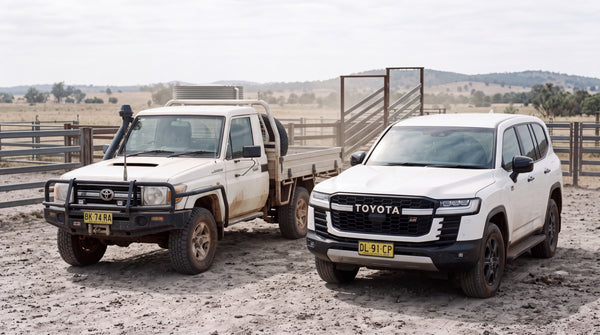
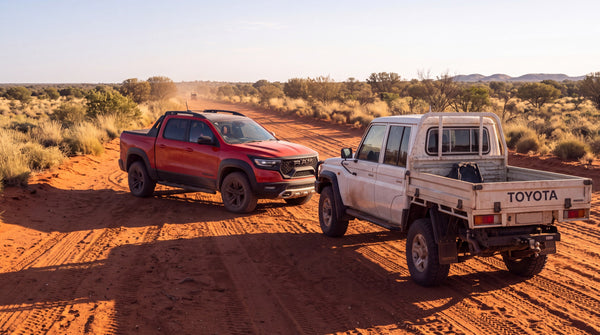
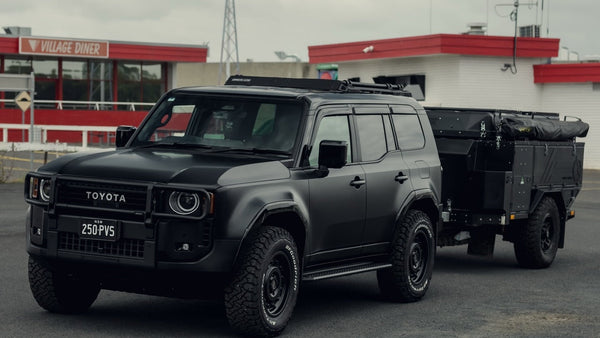
The LandCruiser 70 Series has always been sold in Australia with a factory head unit that trails the rest of the vehicle. The chassis, the driveline and the axles are built to outlast almost anything on the road. The screen in the middle of your dash isn't, and it's usually the first thing that starts to feel dated.
This guide covers the whole upgrade. What the factory unit gives you in each era, then the parts that have to come with a new screen if you want your cabin to work properly afterwards.
At a Glance
- PVS MK4 head units fit the 76, 78 and 79 Series from late 2009 to 2026, in 9 inch and 12.1 inch sizes.
- They run Android Automotive OS 13, which works on the unit itself rather than mirroring a phone.
- Wireless and USB CarPlay and Android Auto are both supported, so your phone still works if you want it.
- Steering wheel controls, a reverse camera and a microphone are separate decisions, and worth making at the same time.
- PVS head units carry a 36 month warranty.
MORE: Compare the MK4 against Alpine, Kenwood and Android Units · Find out how to go wireless with CarPlay in the 70 Series · See the reverse camera options for the 70 Series
What your factory head unit gives you, era by era
The 70 Series has run the same basic cabin architecture for a very long time, and the head unit has been updated far less often than the driveline. The era your vehicle comes from decides how much you're actually gaining.
Early builds in the first years of the V8 era were built around a simple audio head unit, in the old steel dash the aftermarket units don't fit. There's no screen worth speaking of, no reversing camera input, and no data connection of any kind. Anything you want beyond radio and a USB stick has to be added.
Later builds picked up a small screen and Bluetooth. That was a real improvement at the time, and it's aged quickly. The screen is small by current standards, the interface is slow, and mapping means a phone on a bracket somewhere on your dash.
The most recent builds are the best equipped they've ever been, and they still leave a gap. If you spend real time off the bitumen, the factory unit doesn't run the mapping apps most owners rely on, and it has no path to the accessories a touring build tends to accumulate.
Android Automotive OS isn't Android Auto
This is the one point worth understanding before you spend anything. The two names are almost identical and they describe completely different things.
Android Auto and Apple CarPlay both mirror your phone. The phone does the work, the screen shows the result, and if the phone is flat or left behind then so is the head unit.
Android Automotive OS runs on the head unit itself. Google Maps, the Assistant and the Play Store are built in, and with a SIM in the unit it has its own data connection. So mapping apps, music and video run directly on the screen with no phone involved at all.
For a work ute that spends its week in town that's a convenience. For a touring build, maps downloaded to the headunit keep navigation running with no phone connected, even where there's no mobile coverage. The MK4 supports wireless and USB CarPlay and Android Auto as well, so you're not giving anything up by choosing it.
Nine inch or 12.1 inch
Both MK4 sizes fit the same 76, 78 and 79 Series range across the same years. So this is a question about how you use your cabin, not whether it'll go in.
The 9 inch keeps more of the original dash proportion. If you like the factory look, or you use the upper dash for switches, gauges or a UHF, it's the tidier answer.
The 12.1 inch is the better screen for mapping. A larger map on a corrugated track is easier to read at a glance, and split screen navigation alongside music or vehicle data is far more usable. It does dominate the dash, which some owners want and some don't.
There's no performance difference between them. Choose on how much dash you're willing to give up.
The parts that need to come with it
A head unit on its own solves one problem and exposes several others. These are the decisions worth making at the same time rather than a year later.
Steering wheel controls. Reaching across to a screen on a rough track is genuinely annoying, and older builds never had wheel buttons at all. A wireless steering wheel controls module adds them without running new looms through the column, and there are OEM-style control options for vehicles that suit them.
A reverse camera. Once there's a screen in your dash, adding a camera is a small job on top. On a tray back or a vehicle with a canopy it's the accessory owners say they should have fitted first.
A microphone. Cabin noise in a 70 Series is significant. An external microphone mounted near the driver makes hands free calling usable.
Speakers. A better source feeding the factory speakers will only get you so far. If the audio matters to you at all, a plug and play speaker kit is the cheapest meaningful improvement you can make alongside the screen.
Fitment and installation
The MK4 is designed as a plug and play replacement for the factory unit across the late 2009 to 2026 range, using your existing wiring rather than a cut and join loom. Removing the original unit takes a 10mm socket.
How involved the job feels depends on what else you're fitting at the same time. A head unit on its own is a straightforward afternoon. A head unit with steering controls, a camera and new speakers is a bigger piece of work, and worth planning as one job rather than four weekends.
If you're buying several parts together, the multimedia combo kits bundle the common pairings, so you don't have to work out the compatibility yourself.
Warranty and what happens afterwards
PVS head units carry a 36 month warranty. That's longer than our 12 month default on most products, because a screen in a dash is expected to live a hard life in this vehicle.
Software matters as much as hardware on a unit like this. We handle updates through PVS rather than a generic supplier, and support comes from people who work on these vehicles rather than a general call centre.
Where to start
Still deciding between brands? The comparison guide linked above puts the MK4 against Alpine, Kenwood and the generic Android units side by side, which is the fastest way to work out what matters to you.
If you've already decided the factory screen has had its day, start with the size question, then work through steering controls, camera, microphone and speakers in that order. Most owners regret the order they did it in far more than the parts they chose.
You can see the full 70 Series headunit range and the combo kits on the store. Not sure what suits your build? Send us an enquiry and you'll get a straight answer.