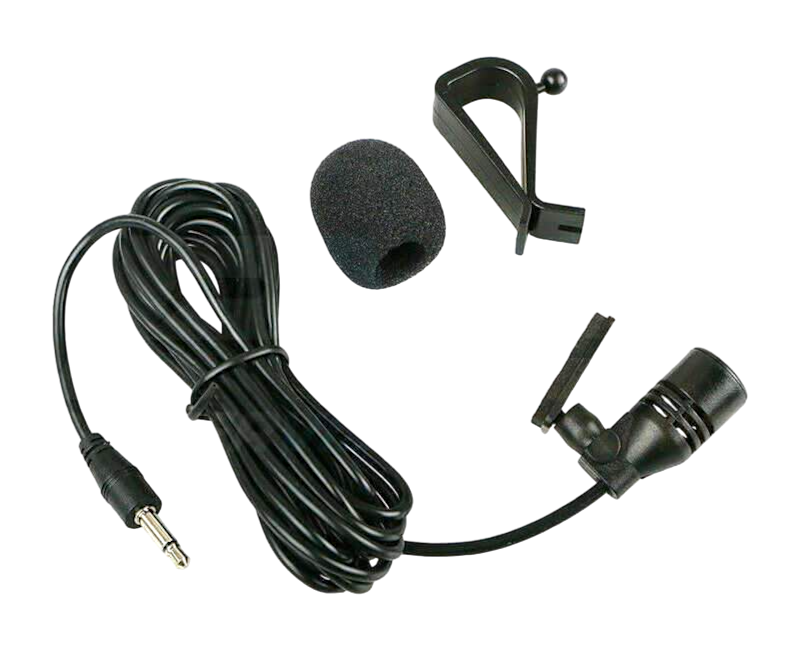
External Microphone Clear in-cabin audio pickup for your head unit
Plenty of aftermarket head units skip the microphone or leave you guessing where to put it, so calls end up muffled by road noise and music. This one mounts above your steering column, close to your voice, and plugs straight into your head unit's microphone input.
or 4 interest-free payments of $7.50 with Shop Pay & Afterpay
Item code: EXTMIC
 Australian Owned and Operated.Australian Owned Certified · AO 08314
Clean audio, every call.
Plenty of aftermarket head units ship without an external microphone, or with one that's awkward to position well. A poorly placed mic picks up road noise and music instead of your voice, so hands-free calls end up frustrating on both ends.
This microphone is sized to tuck neatly above your steering column, close to you and away from speaker bleed. That gives you a cleaner signal straight into your head unit's microphone input, so calls come through clearly whether you're crawling a track or cruising the highway.
Straightforward by design.
BROAD COMPATIBILITY
Works with most aftermarket head units that have a microphone input port, so you don't need brand-specific accessories.
OPTIMISED PLACEMENT
Mounts above your steering column facing you, putting the pickup point exactly where your voice is loudest and cabin noise is lowest.
SYDNEY-BASED SUPPORT
Backed by PVS Automotive's Australian warranty and a local support team based in Sydney, so help is close by if you need it.
Installation overview.
CHOOSE YOUR SPOT
Find a mounting point on the steering column surround or dash trim above the column, with a clear line toward your face.
RUN THE CABLE
Route the microphone cable neatly behind the dash trim to keep the cabin tidy and the cable away from moving parts.
CONNECT TO HEAD UNIT
Plug the microphone cable into the dedicated microphone input port on your aftermarket head unit and secure the connector firmly.
TEST THE AUDIO
Make a test call or use your head unit's microphone test function to check for clear pickup before you finalise the cable routing.